Compliance Screenshots
Screenshots demonstrating DriveTime consent flows and SMS compliance messaging.
Registered User SMS Opt-In
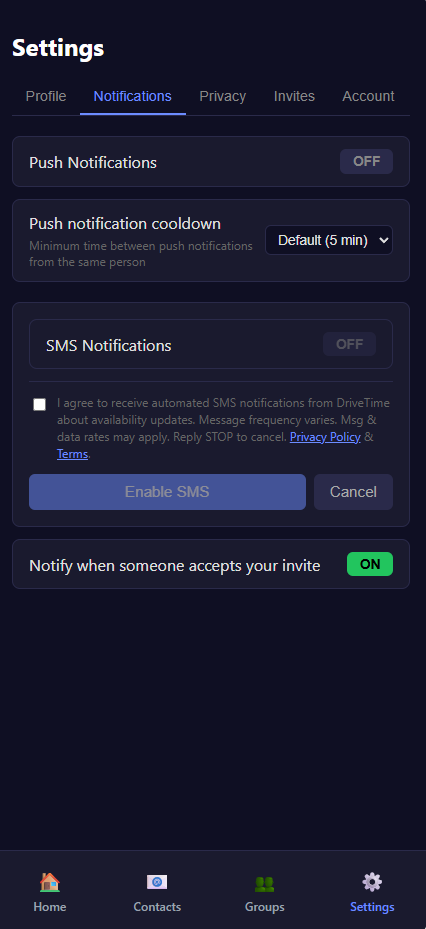
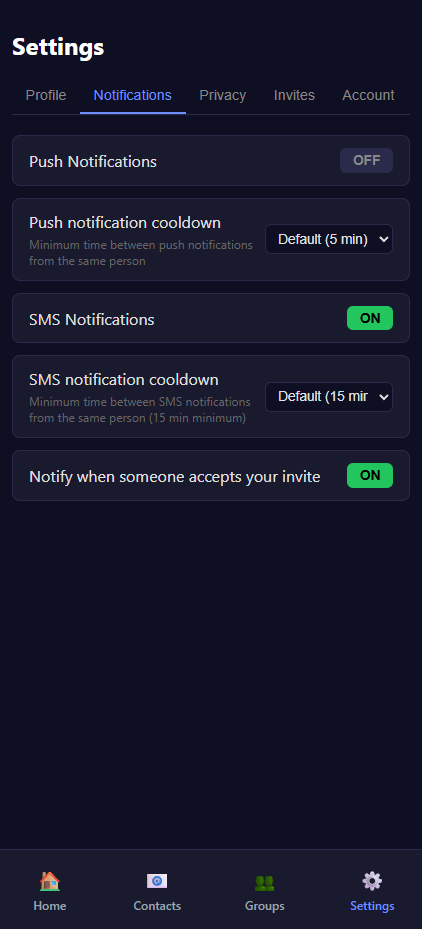
A registered user enables SMS notifications by checking a non-preselected consent checkbox in the app settings.
Invite Flow SMS Opt-In
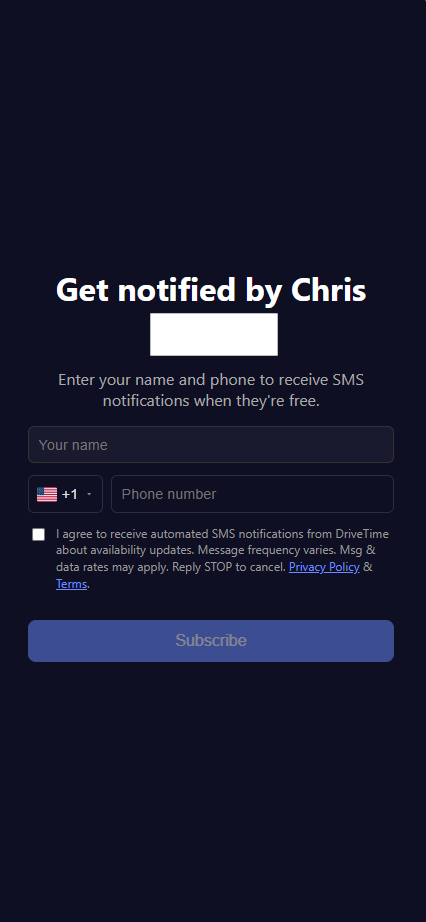
A non-user receives an invite link and opts in to SMS notifications by checking a consent checkbox before submitting the form.

SMS Messages
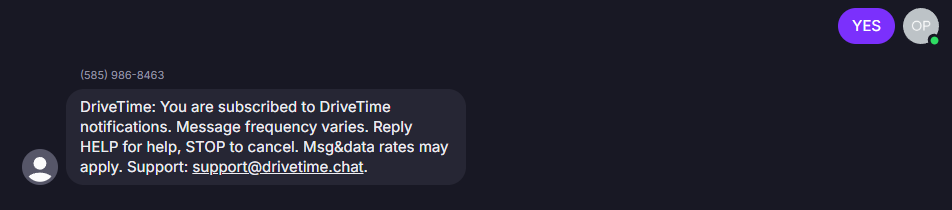
Screenshots of actual SMS messages sent by DriveTime.
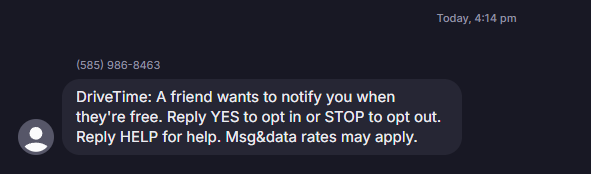

Note: Twilio currently intercepts the HELP keyword at the carrier level and returns its own default response before our webhook is invoked. DriveTime's intended HELP response is:
DriveTime: Get notified when friends are free. Reply YES to opt in, ALL for all notifications, or STOP to opt out. Message frequency varies. Msg&data rates may apply. Support: [email protected].